

GTA 6 features a myriad of customization options from the very beginning. Like past games, the latest entry in the Grand Theft Auto series has multiple options for players looking to tune cars, customize their weapons, or even paint parts of their house. However, beyond these elements, the game offers plenty of customization for its main characters.
Players can customize hairstyles, facial hair, tattoos, and other parts of the GTA 6 playable characters. As expected, outfit customization also plays a prominent role in the game, and here's how you can get started with changing your clothes and outfits in the game.
How to Change Clothes in GTA 6
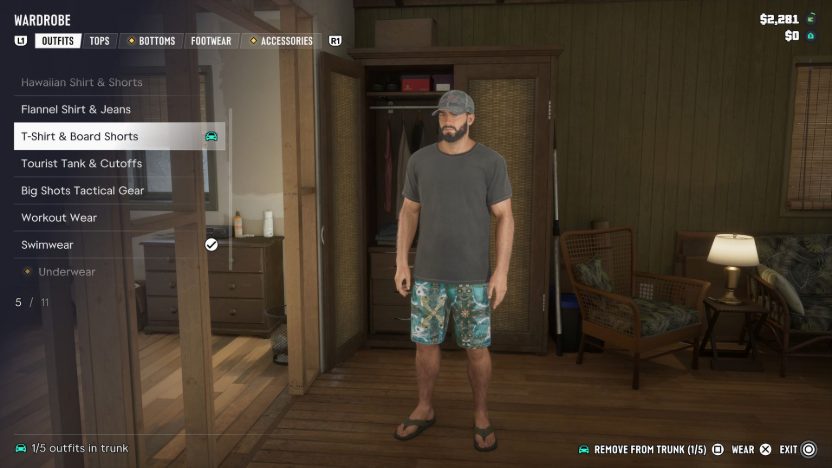
Changing your clothes in GTA 6 can be as simple as selecting from a preset selection of outfits available to you in your wardrobe at Jason's house. Here, you can pick from combinations like a T-Shirt & Board Shorts, Workout Wear, Swimwear, etc.
Of course, it's also possible to mix and match between different tops, bottoms, and accessories. Any outfits that you purchase will also show up in the wardrobe, and you can create and save up to 10 custom outfits. If you want to buy a completely separate outfit, head to one of the many stores across Leonida.
Where to Buy Clothes in GTA 6
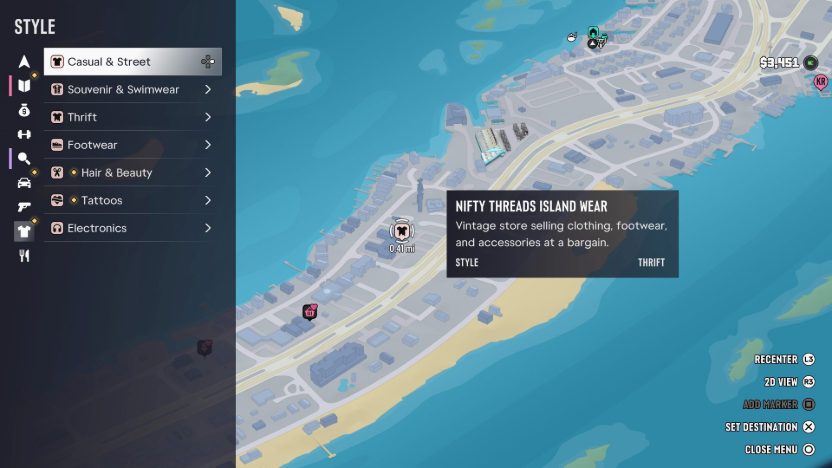
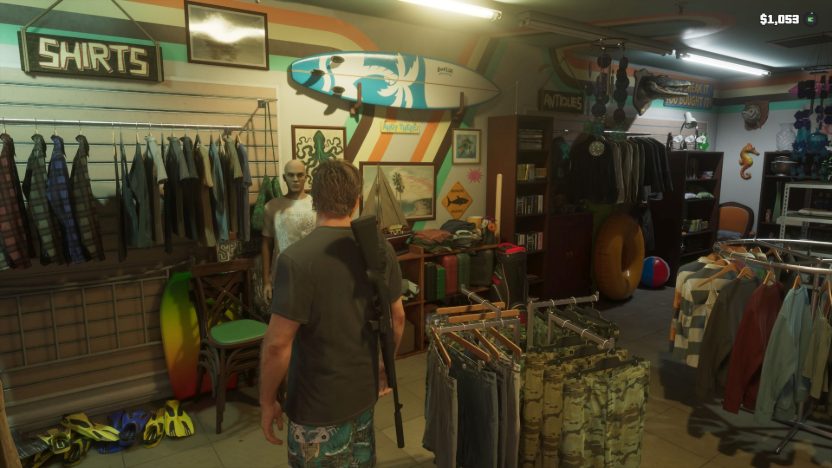
You'll find clothing stores throughout the map with a T-shirt icon, and these stores are visible on the map directly by going to Style and then picking between Casual & Street, Souvenir & Swimwear, Thrift, etc. As the name suggests, each type of store offers different outfits and clothing to choose from. Dedicated stores for Footwear also exist throughout the map, which can be found from the same menu.
For example, a store like Key Lento Kahuna sells summer wear like tank tops, while a thrift store such as Nifty Threads Island Wear promises bargain prices due to its thrifty nature. Similarly, Flip Flop House specializes in sandals, sneakers, etc.
How to Change Clothes on the Go
Note that besides your home wardrobe, you can swap outfits at the gym or clothing store by using a changing room. Gyms can be found through the blue weight icons on the map, and if you like a certain combination of clothes, make sure to store it in the trunk of your personal vehicle. This can be done via a wardrobe or changing room.
The game allows each character to store up to 5 outfits in the car, which can come in handy if you want to switch clothes on the fly and in a hassle-free manner. Also, keep in mind that changing clothes is extremely useful when attempting to escape the cops, so having multiple outfits on hand is always a good idea.
How to Use Accessories in GTA 6
Clothing like the tops and bottoms account for the main outfit customization in GTA 6, but you also have the option to make use of different accessories. You can put accessories on or take them off from your loadout (L1 / LB), and by default you should have a pair of sunglasses to use. You can also keep up to three of each type of accessory in your trunk, and changing all the accessories you're wearing helps stop the cops from recognizing you after a crime.
Other accessories like caps are also available at the aforementioned locations. For even more customization options, players can visit a tattoo parlor or salon to make changes to Jason or Lucia's physical appearance.
More Ways to Change Your Look
- Wardrobe controls: use R-LEFT-RIGHT to spin around, press R2 / RT to zoom in, and while zoomed in use UP-DOWN to focus on different items of clothing.
- Steal an outfit: if you're wanted and didn't bring a change of clothes, you can steal an outfit from a clothing store.
- Save found accessories in the wardrobe, so you don't lose them when you change outfits.
- Swap wear styles: in your loadout items (L1 / LB, then R1 / RB), press UP-DOWN to change how certain clothing items are worn.
Headphones and Helmets
Buy headphones at any electronics store  to listen to the radio on foot: open your loadout (L1 / LB), press R1 / RB to find them, hold LEFT to pick a station and press X / A to turn them on or off. A fight can knock them off, so pick them up afterwards.
Every motorcycle, scooter and bicycle comes with a helmet: put it on from your loadout items, or turn on the auto-equip option in the Gameplay tab of the Settings menu.
New to Leonida? See how you can keep your money safe in GTA 6, how to fast travel, the GTA 6 workout guide, and all our GTA 6 guides.
or post as a guest
Be the first to comment.